
Creating SEO-friendly content starts with understanding what visitors are actually looking for. A page can contain the right words and still be unhelpful if it is difficult to read, poorly organized or does not answer the visitor's question.
A better approach is to create content for people first and then make sure the page has a clear structure that search systems can understand. This means using descriptive titles, useful headings, relevant internal links, original explanations and accurate information.
What Does SEO-Friendly Content Mean?
SEO-friendly content is content that is useful to readers and presented in a structure that makes the subject easy to understand. It usually has a clear topic, descriptive headings, readable paragraphs and relevant links.
SEO-friendly does not mean that a page needs to repeat a keyword many times. Repetition can make writing unnatural and may make the page harder to read.
1. Start With a Clear Search Intent
Before writing an article, identify what the visitor is trying to accomplish. Someone searching for a percentage calculator may want a calculation, while someone searching for "how to calculate percentage change" may want an explanation.
The page should match that purpose. A long article may not be appropriate when the user simply needs a calculator, while a tool page alone may not fully answer an educational query.
Ask What the Visitor Needs
- What question is the visitor asking?
- What information do they need first?
- Do they need an explanation, a tool or both?
- What would make the page genuinely useful?
2. Choose One Main Topic for the Page
A focused page is usually easier to organize than a page that tries to cover many unrelated subjects.
For example, an article titled "How to Write YouTube Titles" should mainly explain title writing instead of mixing several unrelated topics such as website hosting, accounting and image compression.
Related information can still be included, but it should support the main subject.
3. Write a Descriptive Page Title
The title should clearly describe what the page is about. A reader should be able to understand the subject without opening several pages.
Strong titles are specific and natural. Avoid adding unrelated keywords simply because they have search volume.
Example
A title such as "How to Calculate Percentage Change: Simple Formula and Examples" gives the reader a much clearer idea of the page than a vague title such as "Complete Guide".
4. Use Clear Headings
Headings divide long content into understandable sections. They also allow readers to scan the page and find the section that answers their question.
Use a logical hierarchy. The main page topic should be represented by the primary heading, with supporting sections below it.
5. Keep Paragraphs Easy to Read
Large blocks of text can be difficult to read, particularly on mobile screens. Breaking an explanation into shorter paragraphs makes the page easier to scan.
This does not mean every sentence needs its own paragraph. The goal is simply to give each paragraph a clear purpose.
6. Use Lists When They Improve Clarity
Lists can make instructions, comparisons and checklists easier to understand.
Example SEO Content Checklist
- The page answers a clear question.
- The title accurately describes the topic.
- Headings organize the information.
- Paragraphs are readable on mobile.
- Important claims are explained clearly.
- Relevant internal links are included.
- The page offers something useful beyond a generic summary.
7. Use Keywords Naturally
Keywords can help describe the subject of a page, but they should fit naturally into sentences. There is no benefit in repeatedly inserting the same phrase where it does not belong.
Instead, use the terminology that naturally appears when explaining the topic. Related words, examples and supporting concepts can make an article more complete.
8. Answer Related Questions
A useful article often answers several questions related to its main topic. This can help readers understand the subject without needing to visit multiple unrelated pages.
For example, an article about internal linking can explain what internal links are, why they are useful, where to place them and what common mistakes to avoid.
9. Add Relevant Internal Links
Internal links connect related pages on the same website. They can help visitors discover more information and create a logical relationship between related content.
For example, an article discussing metadata can link to the Meta Tag Generator when the tool is relevant to the explanation.
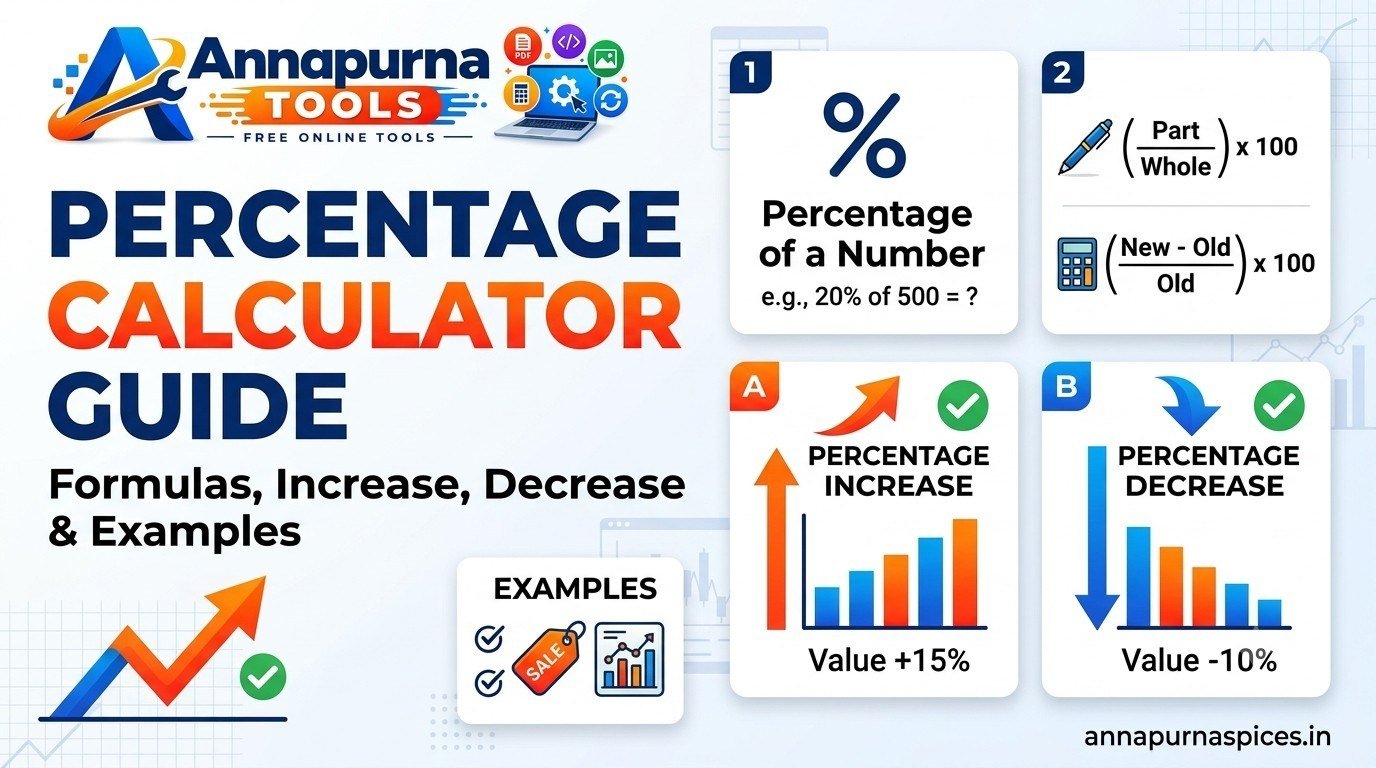
An article about percentage calculations can similarly link to the Percentage Calculator .
10. Make Your Content Original
A useful article should contribute something of its own. Simply rewriting a collection of common statements without adding explanation, examples or useful context creates little value for readers.
Originality can come from your explanation, examples, structure, comparisons, practical workflow and clear interpretation of a topic.
11. Check Facts Before Publishing
Accuracy matters for every topic, but it becomes especially important when an article discusses health, finance, legal matters or technical instructions.
Review important claims and make sure that examples, formulas, dates and terminology are correct before publishing.
12. Make the Page Useful on Mobile Devices
Many visitors read websites on smartphones. Content should therefore remain readable on smaller screens.
Use reasonable font sizes, sufficient spacing, responsive images and controls that are easy to tap.
13. Use Images When They Add Value
Images can improve an article when they help explain the subject. Examples include diagrams, screenshots, original illustrations or relevant explanatory graphics.
Images should support the article rather than exist only to fill empty space. Use descriptive alternative text when appropriate.
14. Write Helpful Introductions
The opening paragraphs should tell the visitor what the page covers and why the information may be useful.
Avoid filling the opening with vague statements. Start with the actual problem or question the page is designed to answer.
15. Avoid Unnecessary Filler
Longer content is not automatically better. Adding repetitive paragraphs just to increase word count can make an article less useful.
A better article gives enough detail to answer the topic thoroughly while removing repetition that does not help the reader.
16. Create a Useful Conclusion
The conclusion can summarize the main lesson and point the reader toward an appropriate next step.
For example, after explaining meta tags, you could link readers to a relevant metadata tool or another guide that explains page structure.
Common SEO Content Mistakes
- Repeating keywords unnaturally.
- Using vague titles.
- Publishing content with little useful detail.
- Creating very short explanations for complex questions.
- Adding unrelated topics just to target more keywords.
- Using internal links that are not relevant.
- Ignoring mobile readability.
- Publishing inaccurate information.
Should Every Article Be 1,000 Words?
No fixed word count guarantees good search performance. The appropriate length depends on the subject and what the reader needs to understand the topic.
A simple question may need a short answer, while a detailed tutorial may naturally require much more explanation.
How Tools and Articles Can Work Together
A tools website can become more useful when educational content explains how each tool works and when it should be used.
For example, a Percentage Calculator page can explain the percentage formula, give examples, discuss common mistakes and then provide the calculator itself.
This approach gives visitors both an immediate utility and enough context to understand the result.
Final SEO Content Checklist
- Choose one clear topic.
- Understand the reader's intent.
- Write an accurate and descriptive title.
- Organize the article with useful headings.
- Use natural language and relevant terms.
- Include examples where helpful.
- Link to genuinely relevant pages.
- Review accuracy before publishing.
- Check mobile readability.
- Remove repetition and unnecessary filler.
Conclusion
The best SEO content starts with a useful answer rather than a keyword list. When a page is clear, accurate, well organized and genuinely helpful, it becomes easier for readers to understand and use.
SEO elements such as titles, headings, descriptions and internal links should support that goal. They should not replace useful content.
For practical website work, you can also explore the SEO tools available in the SEO Tools section of Annapurna Tools.